The Microsoft Innovative Educator Expert (MIEE) has been replaced by the Microsoft Elevate Educator programme, with the Microsoft Elevate Educator Expert replacing the previous MIEE award and the application window is now open.
Apply now!
The self-nomination window for the Microsoft Elevate Educator Expert programme is now open, running from June to July 31st 2026. The outcomes of applications will be announced by the end of September 2026.
Microsoft Elevate Educator Experts are visionary educators who are always learning, growing, and collaborating with others to create positive change in education. They use Microsoft technologies and innovative teaching practices to enhance student engagement, creativity, and collaboration. They also share their expertise and insights with other educators through various platforms, such as local training events, conferences, blogs, social media, and more.
Becoming an Microsoft Elevate Educator Expert offers numerous benefits:
- Professional Growth: Access exclusive training, development resources, and opportunities to showcase your work at conferences and events.
- Global Community: Join a network of like-minded educators, sharing insights, best practices, and innovative ideas to create positive change in education.
How to Apply (the basics…)
For staff totally new to these programmes, here are some useful notes outlining how to apply.
To join for the first time or renew, educators need to create accounts in the following two locations and the display/profile names need to be identical.
1. Microsoft Learn is a training platform
2. Microsoft Elevate is the community platform
Before TU staff can apply for the Microsoft Elevate Educator Expert they must first complete the Microsoft Elevate Educator Explorer.
To apply for the Explorer programme staff need to…
- Create accounts/profiles: Microsoft Learn & Microsoft Elevate
- Complete at least one Explorer learning pathways Elevate Educator – Explorer (General) OR Elevate Educator – Explorer (AI) (Completing both is recommended)
- Submit your Explorer application (Complete Explorer survey & link your Microsoft Learn profile)
- Become an Explorer – Receive badge – Join the community
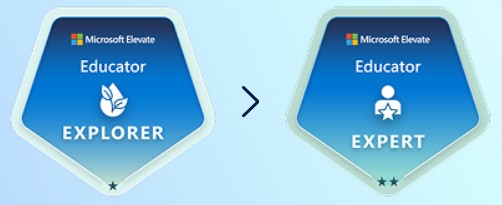
Once staff have achieved the Explorer status, and/or are returning MIEEs wanting to renew can apply for the Expert programme which requires them to complete an additional series of courses in Microsoft Learn and complete a survey in Microsoft Elevate.
-
- Complete the following Microsoft Learn training pathways
- Once the required pathways are complete, complete your Expert application*
Once these two pathways are complete, please login to the Microsoft Elevate for Educators community landing page and submit your application. This will require you to answer a series of questions that relate to your use of Microsoft tools to support you in your role as an educator. To help you prepare for this final phase of the application, you should begin by downloading the following document and drafting your application responses.
Support from the Academic Development Team
We are here to support you throughout the application process. If you have any questions or need assistance, please feel free to contact the Digital Learning Specialist team at Celtie@tees.ac.uk.
Apply now and take the next step in your professional development journey!