
Dear colleagues,
We’re delighted to share two new major enhancements in StREAM Learner Analytics that are now live and ready for use. These updates aim to make student grouping and interaction management smoother and more efficient, supporting and improving your administrative and teaching workflows.
1. Remove Students from Existing Groups
What’s new?
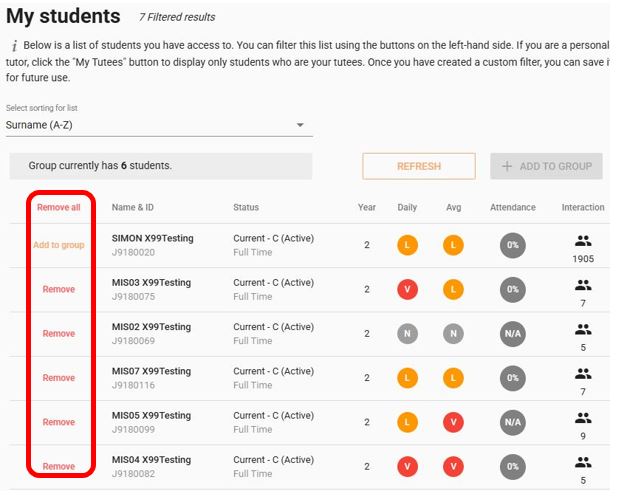
Students can now be REMOVED from existing groups in StREAM.
Previously, the only workaround to achieving this was to delete the group that contained the student(s) that needed to be removed, then a new group be created with all other students.
How to remove students:
- Go to My Students and click My Groups.
- Select the relevant group (Either from the list or by searching for the group name).
- Click Select Students in the top right.
- Use the Remove option next to each student you wish to be removed, or choose Remove all.
- The option will toggle to Add to group, so any accidental removals can be undone easily.
- No need to save as changes take effect immediately.
2. Ability to ‘Re-open’ Completed Interactions
What’s new?
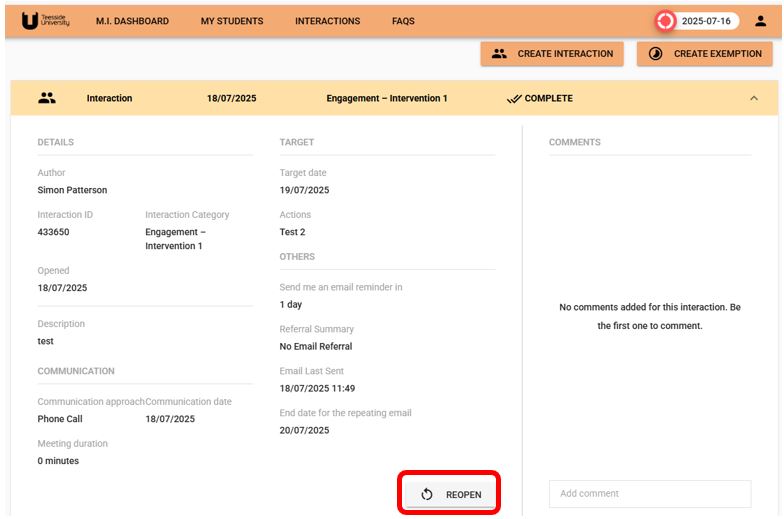
The original creator of a student interaction can now reopen it, even after marking it “Completed”. They can update or delete the interaction if necessary. This feature is exclusive to the person who created the interaction.
*Alt text: “Reopen” feature for user-created completed interactions.*
Why it matters:
- Quickly correct mistakes, delete duplications, or remove personal/sensitive information.
- For example, you can delete an interaction that was mistakenly assigned to the wrong student without raising a ticket.
- Data protection reminder: If you suspect a GDPR breach, please report it immediately to the Information Governance Team at DPO@tees.ac.uk.
Updated Support and Training
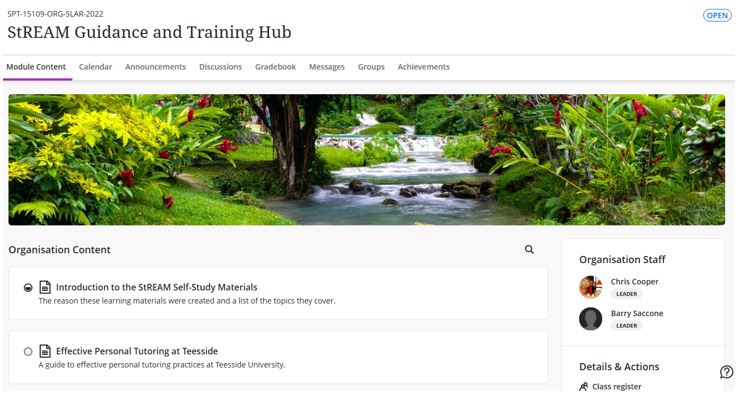
We’ve updated the asynchronous Blackboard Ultra training organisation (StREAM Guidane and Training Hub) content and supporting video to reflect these changes. This resource can be found in Blackboard Ultra > Organisations > StREAM Guidance and Training Hub.
Additional Support
If you require any further assistance with this, please contact the Central Systems team @ cst@tees.ac.uk or the Digital Learning Specialist team @ elearning@tees.ac.uk
Best wishes,
Student Learning & Academic Registry
Teesside University