
We are excited to announce that the Next Generation of Turnitin Feedback Studio is going live on the 15th of July 2025. The new experience features a modern, intuitive interface designed specifically for educators. The new interface makes grading and feedback easier, more consistent, and more inclusive. It includes a modern, intuitive, and flexible experience allowing the academic to deliver meaningful feedback, grade consistently, and support all learners.
What’s new
- Cleaner, inclusive design: Streamlined interface with built-in guidance and improved accessibility.
- Improved Similarity Reports: Colour-coded match types for clearer insights at a glance.
- Smarter feedback tools: Precise grading with decimal scores, pinned comments, and accessible QuickMarks.
- Flexible assessment workflows: New grading options tailored to diverse teaching styles.
- Foundation for future features: faster deployment of add-ons and AI-driven enhancements.
The next generation of Turnitin Feedback Studio contains new workflows, including simplified, streamlined assignment workflows with one integrated inbox for easier management of Turnitin across the university.
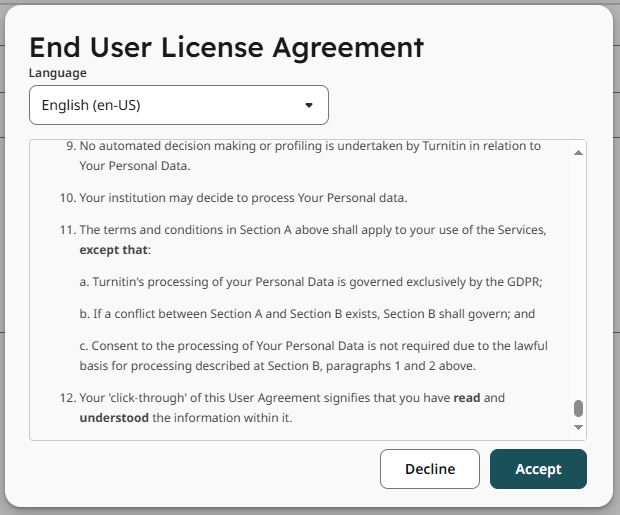
*Please note that the first time you access the new Turnitin Feedback Studio Experience, you will be prompted to agree to the new terms and conditions. You will need to scroll down to the bottom of this agreement before being able to accept and close the pop-up.
Learning Support Guides
To support academic staff at Teesside University, the Digital Transformation team, in combination with the Central Systems team, has developed a series of multi-model Learning Support Guides (formerly known as Knowledge Base Articles) that can be used by staff to guide them through the new and improved user interface, features, and workflows.
Teesside University hosts a Teaching & Learning (L&T) support site (formerly known as ‘E@TSupport’ and ‘e-Learning Help Guides’) that provides staff with guides to enhance their approach to digital pedagogy and offers support for using the university’s teaching and learning systems.
It can be accessed here: https://eatsupport.tees.ac.uk/
These newly published guides to support staff with the updates made to the Turnitin Feedback Studio can be found below.
- Creating Turnitin Assignments
- Understanding the contents of a Similarity report
- Understanding QuickMarks
- Understanding Turnitin Rubrics
- Grading work and providing feedback
Additional Support
If you require any further assistance with this, please contact the Central Systems Team @ cst@tees.ac.uk or the Digital Specialist Team @ elearning@tees.ac.uk